Turn lesson ideas
into short films.
Start with a topic and an audience. Shape the AI-drafted script and storyboard, choose a narrator, and export a lesson for a screen or phone.
From brief to final cut.
Follow a biology lesson from its first question to the finished MP4.
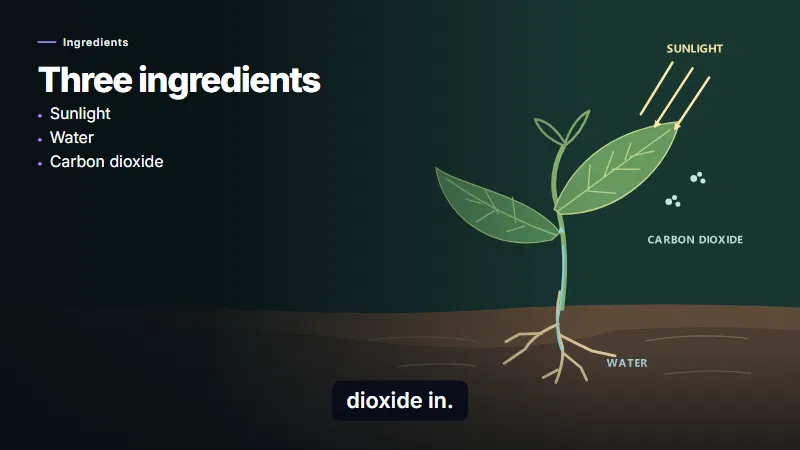
Three ingredients
“The roots take up water. Tiny pores in the leaf let carbon dioxide in. Sunlight supplies the energy.”
Before you start.
How long can a lesson be?
Lessons start at 20 seconds. Your plan sets the maximum length shown in the lesson brief. The editor estimates the running time as you write, and the export uses your recorded narration.
What can I change in the storyboard?
Edit the script and choose what learners see in each scene. Use the AI visual studio to preview available artwork, or bring your own images and MP4 clips. Record a voice-over or add background music, then save and approve the storyboard.
Who can open my videos?
Your project library is private. Anyone who receives a signed media link can watch the video until that link expires.
Who checks the facts?
You review the AI-drafted script before approving it. Check facts, examples, and pronunciation for the audience you’re teaching.